
All of IMP

Scheduling and calendar

Recurring series, team jobs, time zones, and buffers that catch double bookings. Everything your schedulers book, in a calendar and a list.

An example week. Each interpreter gets their own color.

Book it once, or on repeat

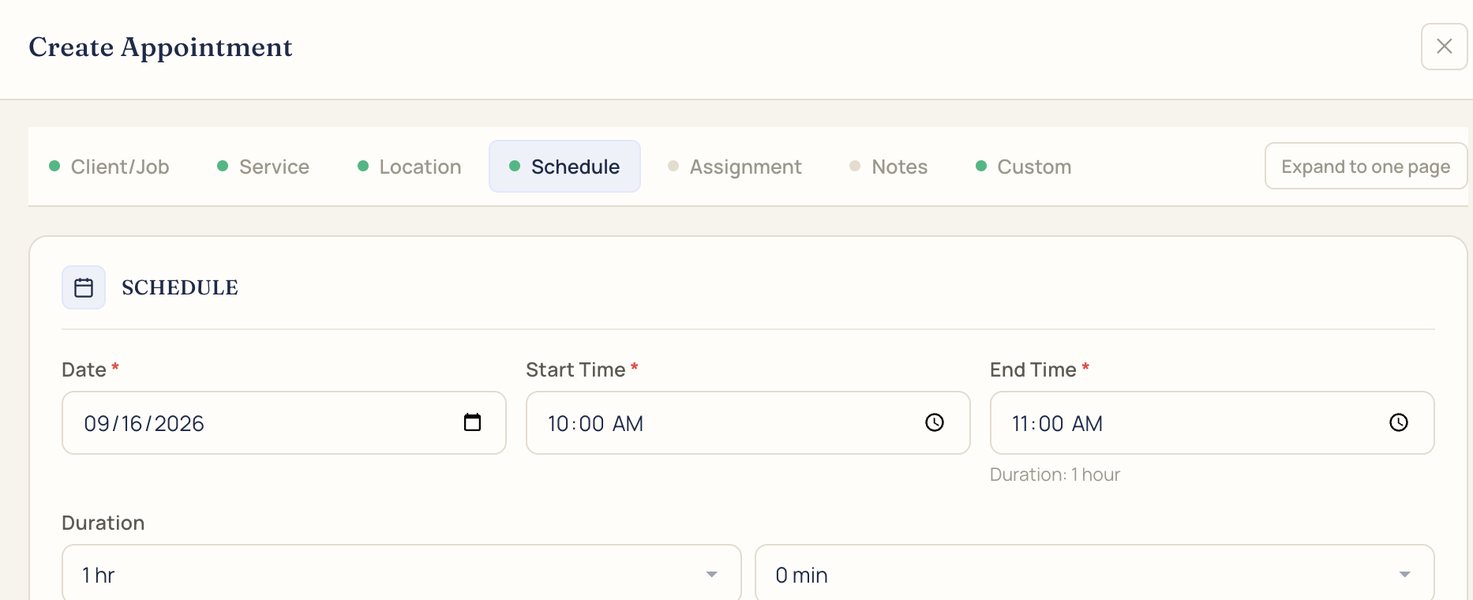
A new appointment takes a date, start and end time, and time zone. Add a recurrence, choose when it ends, on a date or after a number of appointments, and IMP creates each job in the series.

Recurrence set to daily, ending on a date or after a number of occurrences

When a series changes, IMP asks which jobs the change applies to.

Create Appointment form on the Schedule step: date, start time, end time, and duration
School day, ASLEvery weekday, 9:00 to 10:00 AMSeries
  1. Mon Oct 5
  2. Tue Oct 6
  3. Wed Oct 7
  4. Thu Oct 8
  5. Fri Oct 9
  6. Mon Oct 12
  7. Tue Oct 13
  8. Wed Oct 14

Example series

Team jobs, and one record per job

A team job keeps two or more interpreters on one appointment. Each job has its own number and a record with tabs for the interpreters, activity, billing, files, and notes.

A confirmed ASL onsite job with tabs for Overview, Interpreters, Activity, Billing, Files, and Notes
TIA-J512IEP meeting, ASLTue, Oct 6, 1:00 to 3:00 PM, Room 114Team
ATAlicia TranCAChris Anand
Note for the teamParent is Deaf. Check in at the front office.

Example team job

Buffers catch double bookings

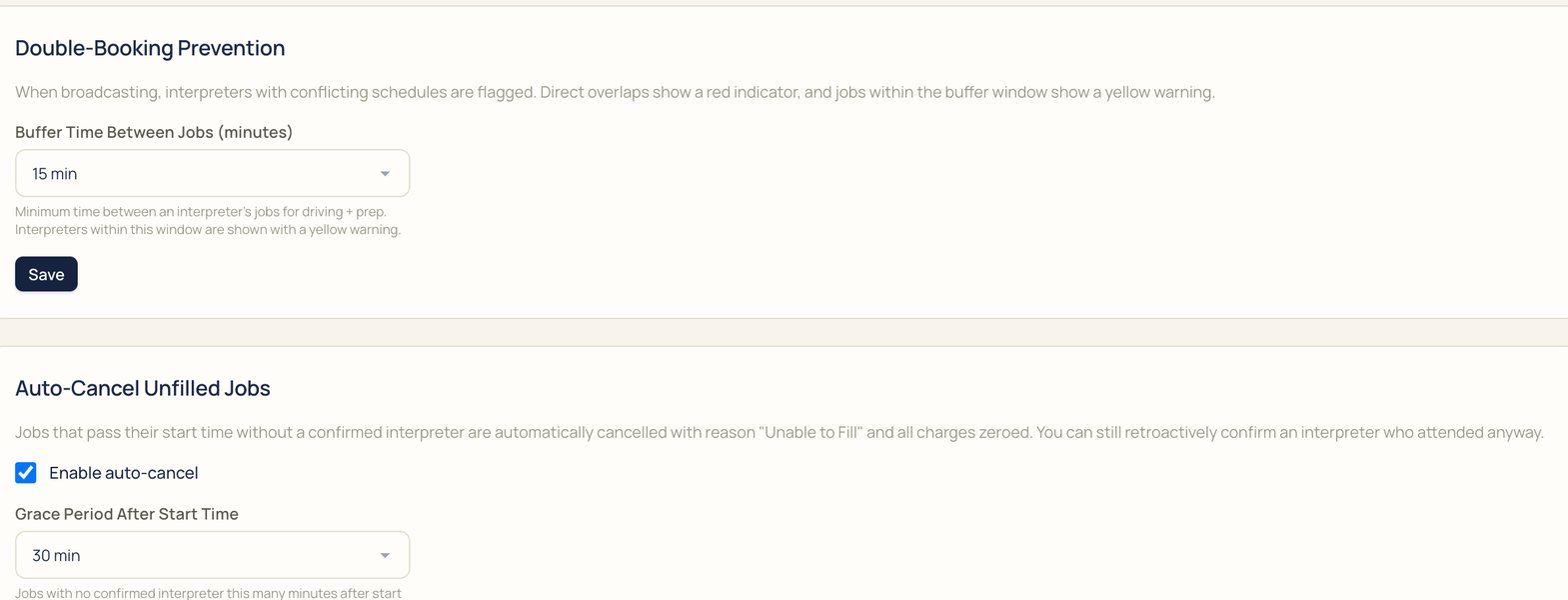
Set the time you want between jobs. When you broadcast, a job at the same time is flagged red, and a job inside the buffer gets a yellow warning.

An example day for one interpreter, with a 15-minute buffer.

Automation settings: buffer time between jobs, and auto-cancel for unfilled jobs
Buffer time and auto-cancel, in Settings

Unfilled jobs cancel themselves

A job that reaches its start time without a confirmed interpreter is cancelled as Unable to fill, with charges zeroed. You can still confirm an interpreter who showed up anyway.

See who's free

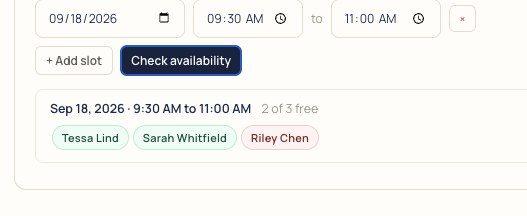
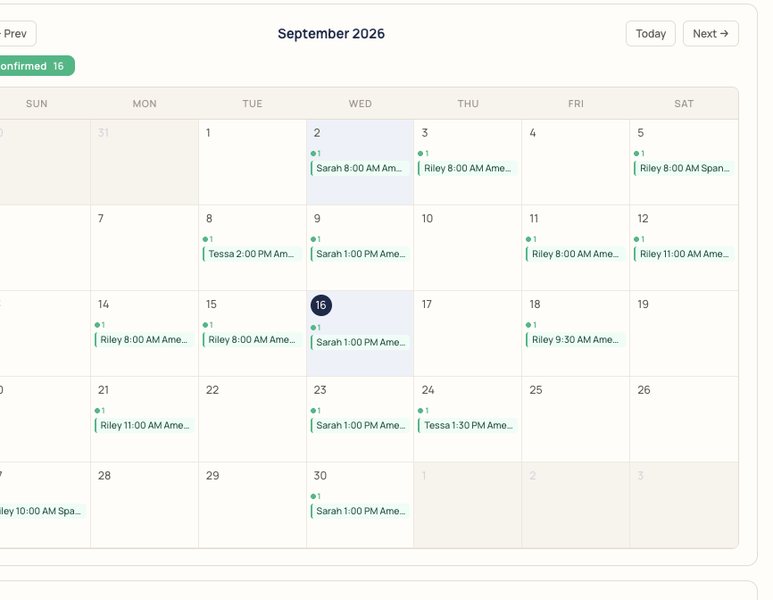
Interpreters keep their availability in the app. Check a date and time before you broadcast, and see confirmed bookings across the month.

Availability check for September 18, 9:30 to 11:00 AM: two of three interpreters free
A month calendar of confirmed interpreter bookings

Your appointments, at a glance

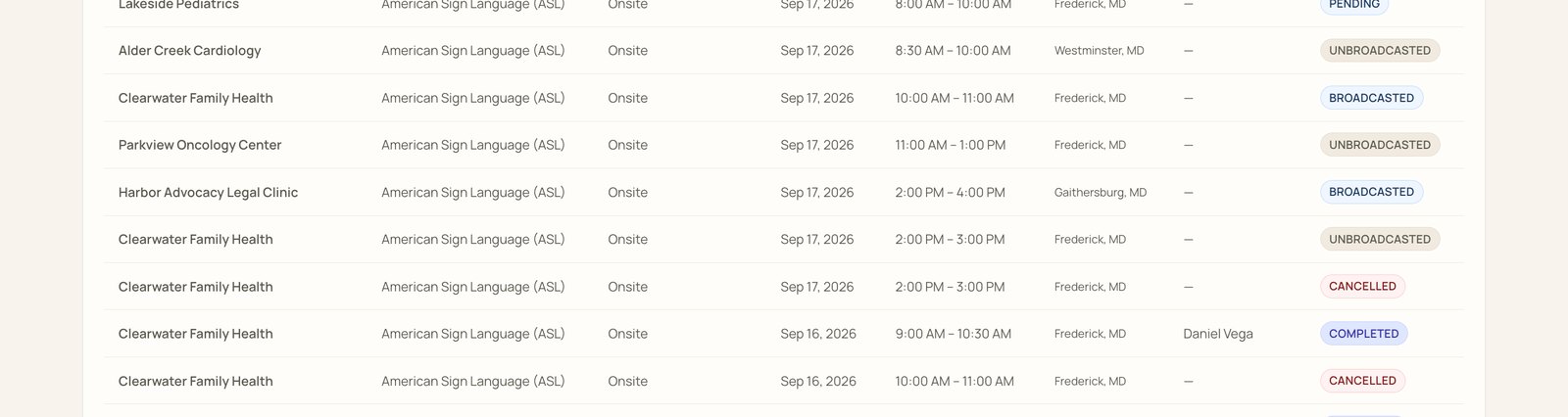
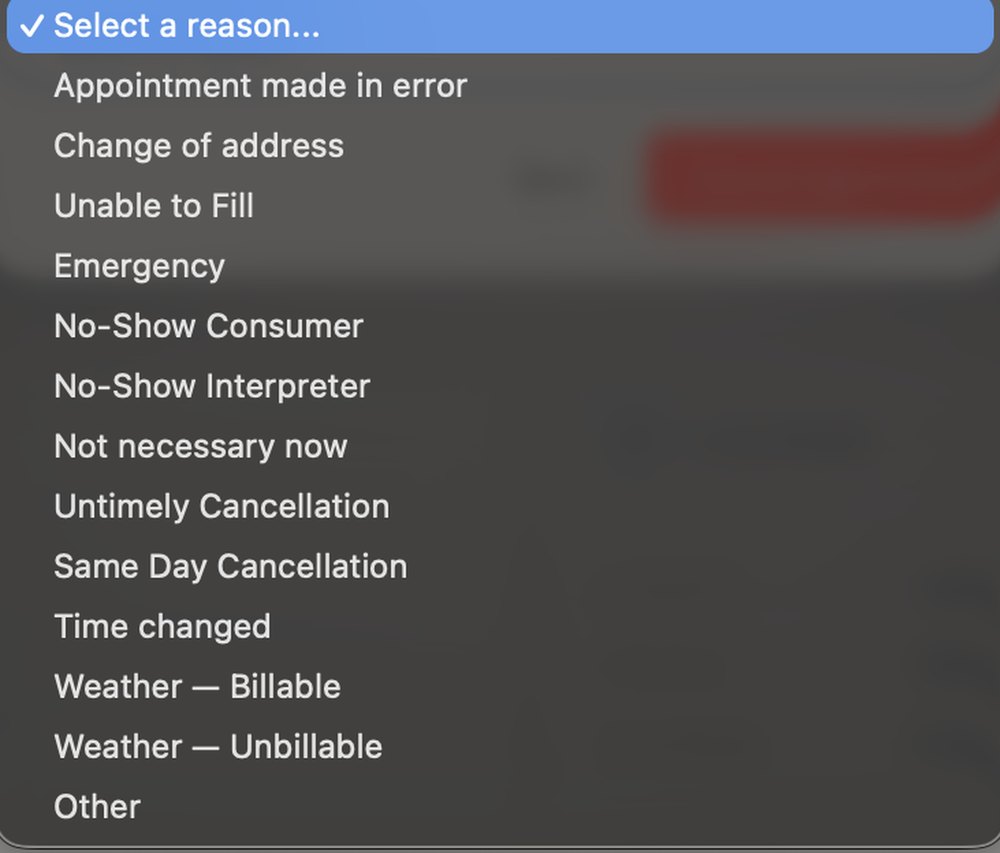
The Appointments tab has a calendar and a list, with search and filters by status and dates. Cancelling asks for a reason, and your rate card's cancellation rules handle the charge.

Appointments header with search, a status filter, dates, and Calendar, List, and New Appointment buttons
Appointment list rows with account, language, type, date, time, location, interpreter, and status
Cancel reasons: appointment made in error, change of address, unable to fill, emergency, no-show consumer, no-show interpreter, not necessary now, untimely cancellation, same day cancellation, time changed, weather billable, weather unbillable, other
Cancel reasons

On their calendar, too

Interpreters can add confirmed jobs to Google Calendar from the job, and calendars sync over iCal. Jobs use your agency's time zone unless you set another.

Scheduling questions

Something else? Bring it to the demo.

Can I set up recurring appointments?

Yes. Choose how often it repeats and when it ends, on a date or after a number of appointments. IMP creates each job in the series.

How do team jobs work?

A team job keeps two or more interpreters on one appointment.

How are double bookings caught?

Set a buffer between jobs. When you broadcast, a job at the same time is flagged red, and a job inside the buffer gets a yellow warning.

Which time zone do jobs use?

Your agency's time zone, unless you set another on the job.

Can interpreters add jobs to their calendar?

Yes. Confirmed jobs have an Add to Google Calendar button, and calendars sync over iCal.

How do interpreters share availability?

They keep it in the app, and you can check who's free for a date and time before you broadcast.

What happens when I cancel?

You pick a reason, like same-day cancellation or weather, and your rate card's cancellation rules handle the charge.

Can clients request appointments?

Yes. Clients request in their own portal, and an Account Admin can approve requests from their own staff.

Bring a real request to the demo

We'll book it in IMP with you, start to finish.