Scheduling and calendar
Recurring series, team jobs, and time zones. Interpreters can add confirmed jobs to Google Calendar, and calendars sync over iCal.
Scheduling and calendar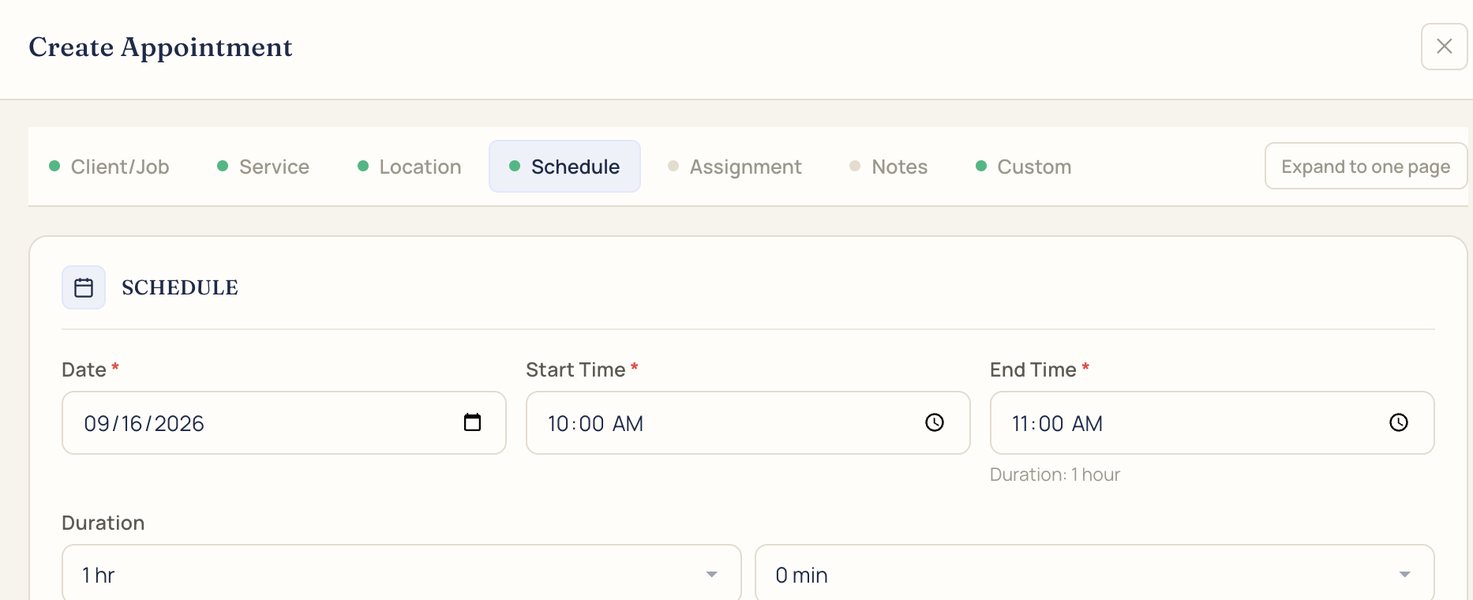
Scheduling, dispatch, billing, and payments in one system, built for interpreting.


However your agency works: by setting, by service, or by the languages you cover.
Scheduling, broadcasting, invoicing, interpreter pay, calls, and an AI front desk, built by Frederick Interpreting Agency for agencies like yours.
From the request to a confirmed team, with the interpreters who qualify.
Recurring series, team jobs, and time zones. Interpreters can add confirmed jobs to Google Calendar, and calendars sync over iCal.
Scheduling and calendarSend a job to the interpreters who qualify or to a saved roster. IMP shows availability, credentials, rate, and distance, and can rebroadcast on a timer up to a limit you set.
Job broadcasting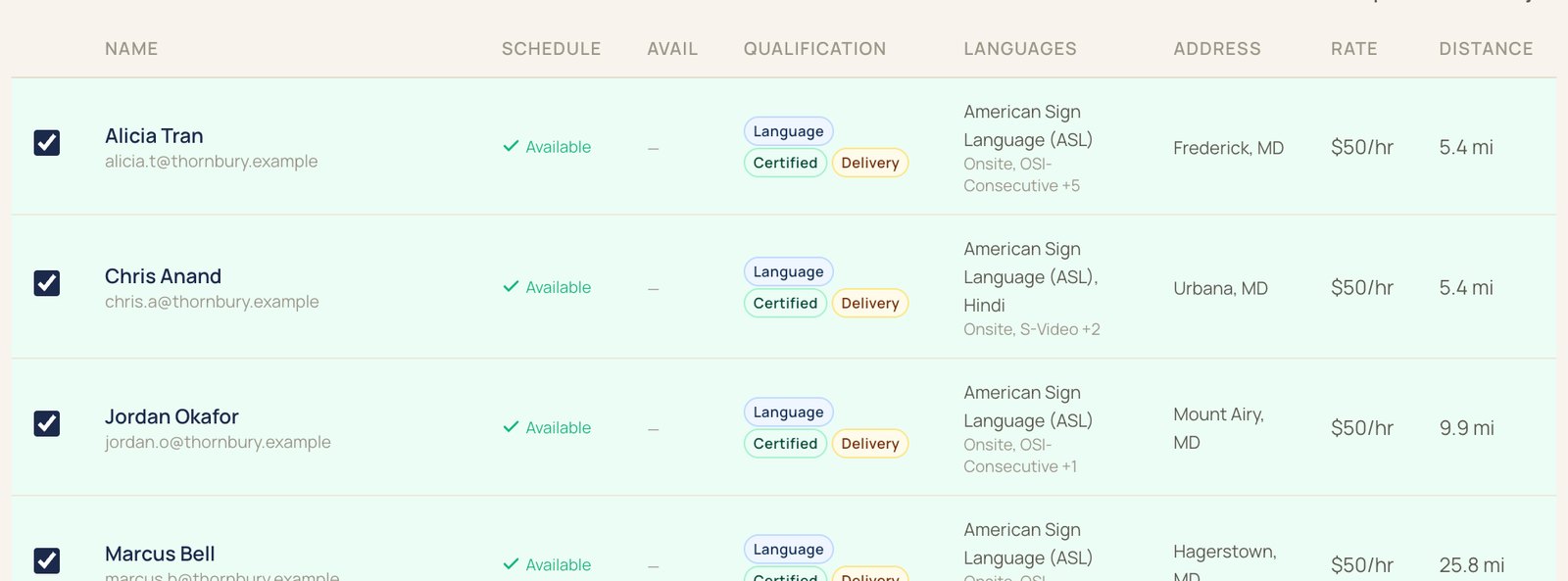
Profiles hold each interpreter's credentials, like NIC and BEI, languages, the settings they're cleared for, ratings, and availability.
Interpreter management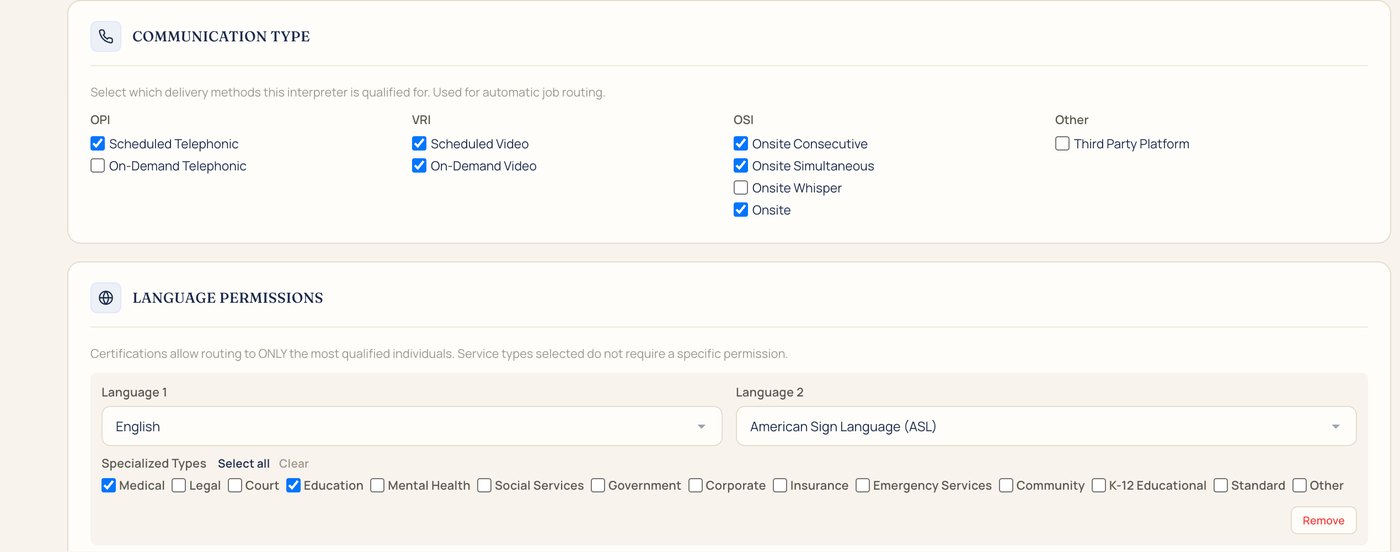
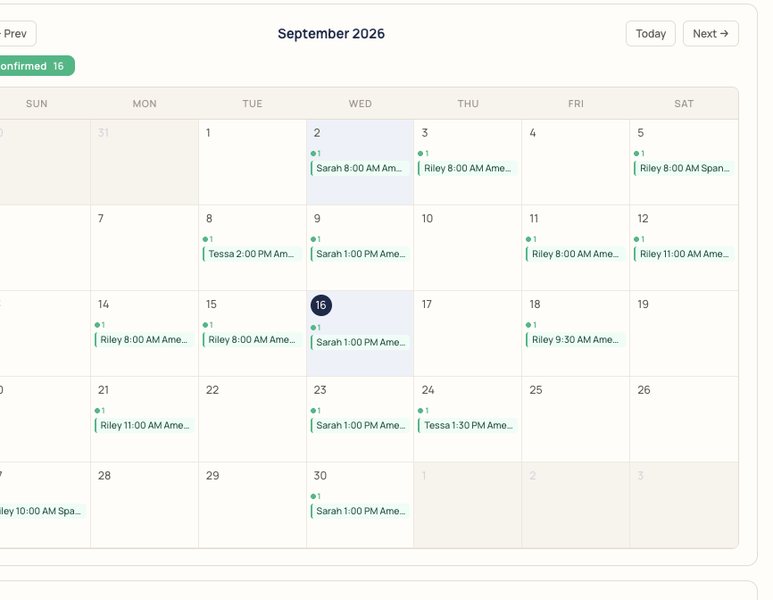
Check a date and time before you broadcast, and see confirmed bookings on a month calendar.
Rate cards price the work, invoices go out by account, and interpreters get statements on your payroll calendar.
Per account and language: minimums, rounding, rush, after-hours minutes, holidays, cancellations, and mileage. IMP prices each job from its rate card.
Invoicing and billing
Invoices by account, sent from IMP, QuickBooks Online, or Stripe, with draft, sent, and paid status.
Invoicing and billing
Clients pay by card through your own Stripe account or in the client portal, and you can record checks too.
Payments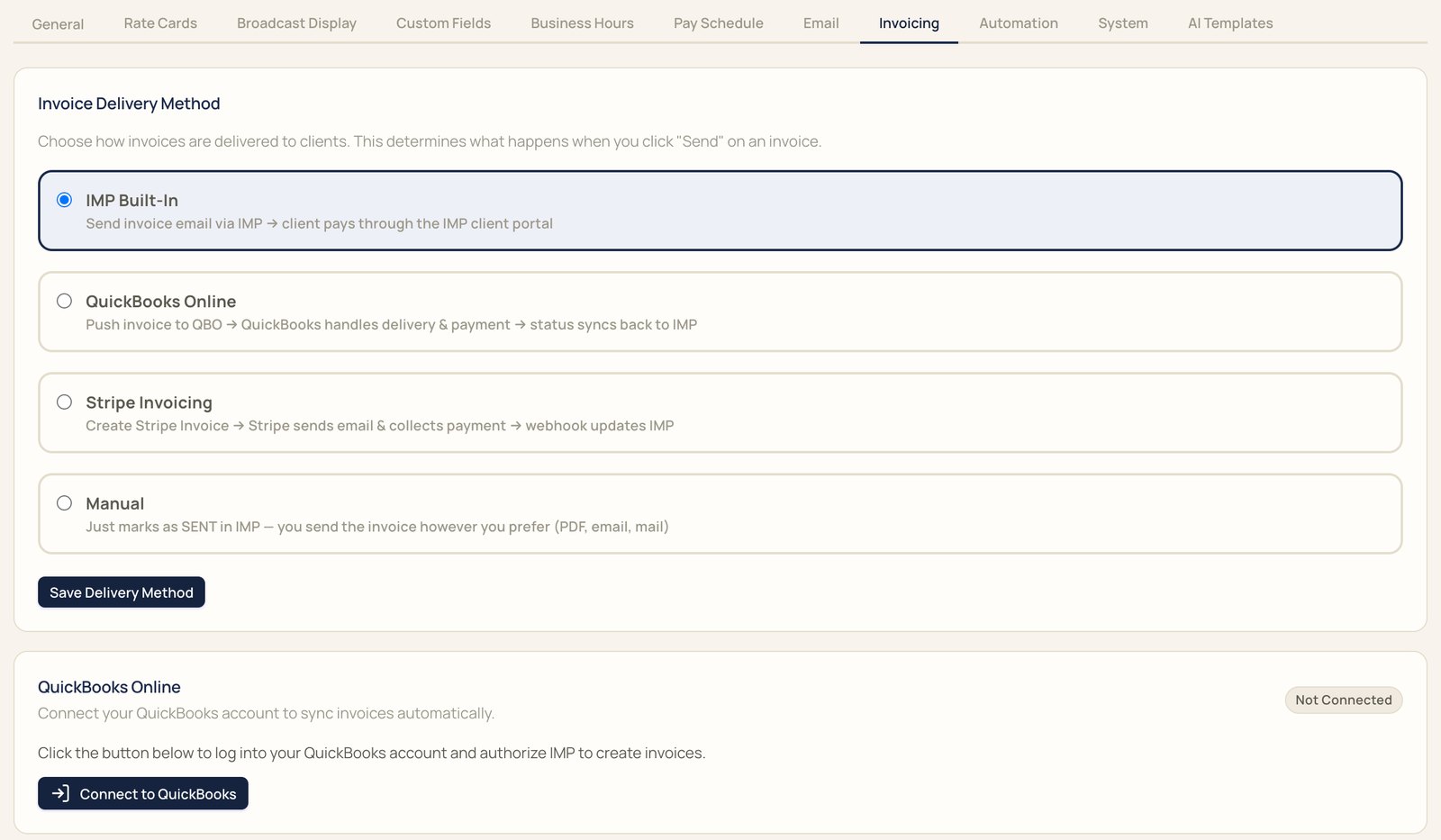
Pay periods follow your payroll calendar. Interpreters see their statements in the app, and each period exports to a spreadsheet for QuickBooks.
How pay periods work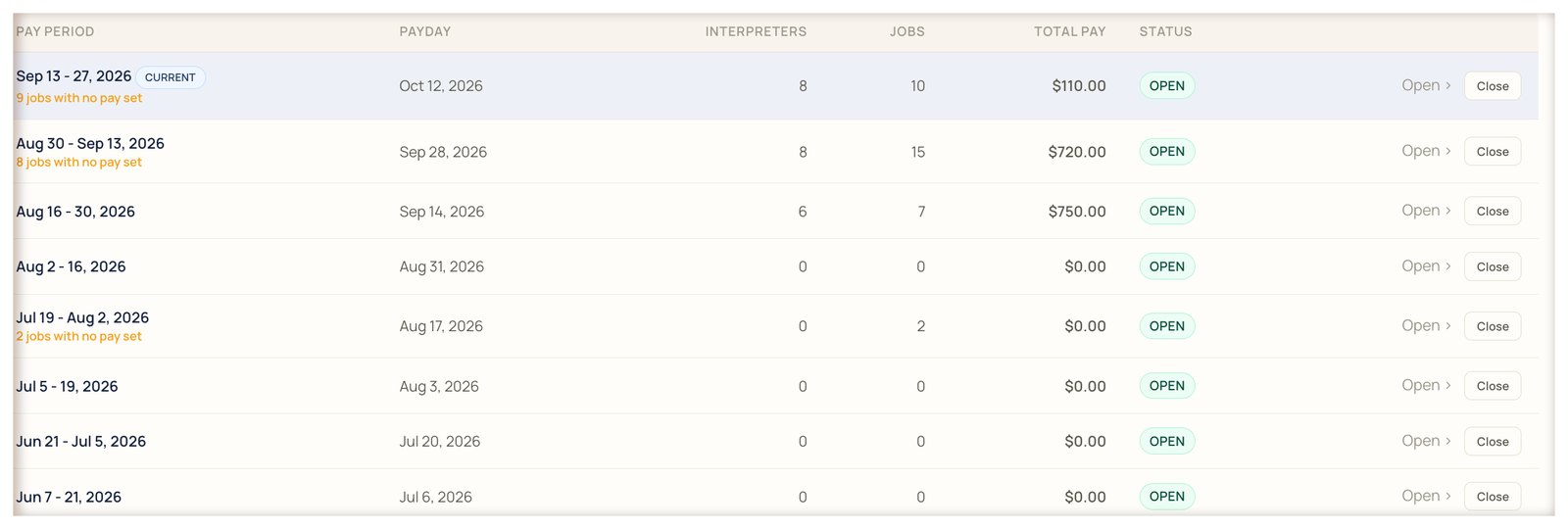
Video and phone interpreting inside IMP, with overflow when your team is busy.
Take VRI and OPI calls inside IMP, billed per minute on either plan.
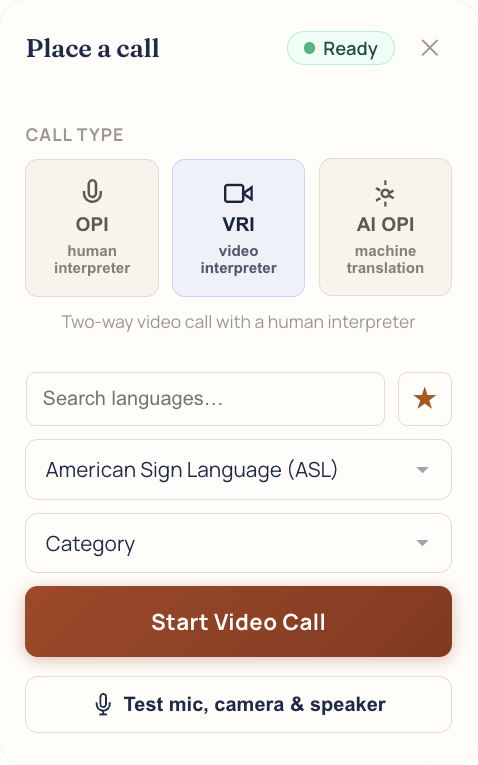
IMP won't put an ASL, CDI, CART, or TypeWell request on a phone or AI Translator call.
AI interpreting for spoken-language calls, billed per minute on either plan.
AI TranslatorTurn it on, and a video or phone call that rings past your delay is offered to the IMP Interpreter Network too, in ASL, Spanish, and French. You set the delay, from 5 to 120 seconds.
Overflow coveragePremium adds the AI Receptionist, AI Intake, and AI Support for $99 a month.
Answers calls on its own phone line, day and night, drafts jobs for your team to approve, and texts staff when a call is urgent. Overnight, it can dispatch hospital calls to your on-call interpreter and a backup, then call the unit back with the arrival time.
AI Receptionist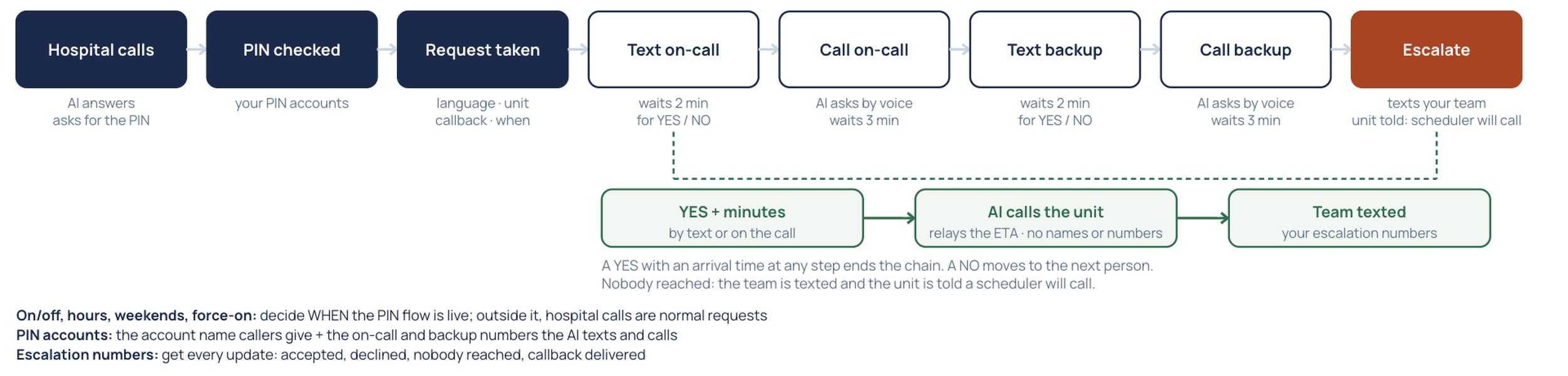
Paste a request or upload a document. IMP drafts the job and marks what it read, and a scheduler reviews it before it goes out.
Drafts replies to client tickets for your team to approve. Chat answers go straight to the person asking.
AI SupportYour own staff can ask the assistant inside IMP how to do something, or open a ticket with the IMP team. It is on every plan.
Help videos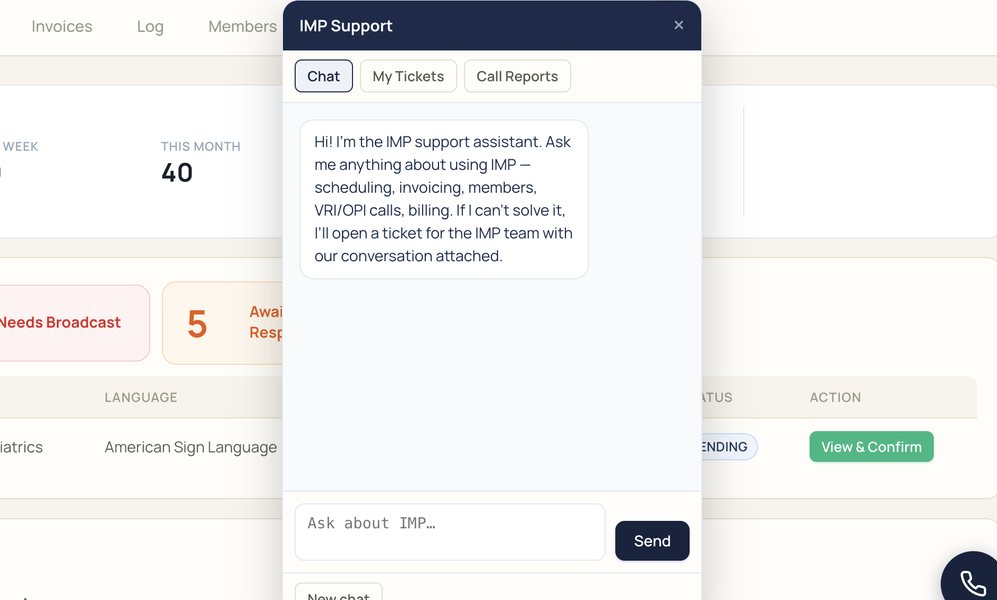
Access, reports, notifications, and the settings that keep jobs covered.
Each person gets their own login and view. Connections and storage are encrypted, and the activity log records job changes, invoices, and pay statements.
Summary, VRI and OPI usage, interpreter payroll, monthly overview, and language demand, for any date range.
ReportsEmail templates with merge fields for each event, push notifications on the web, iOS, and Android, text messages, and a log of what went out.
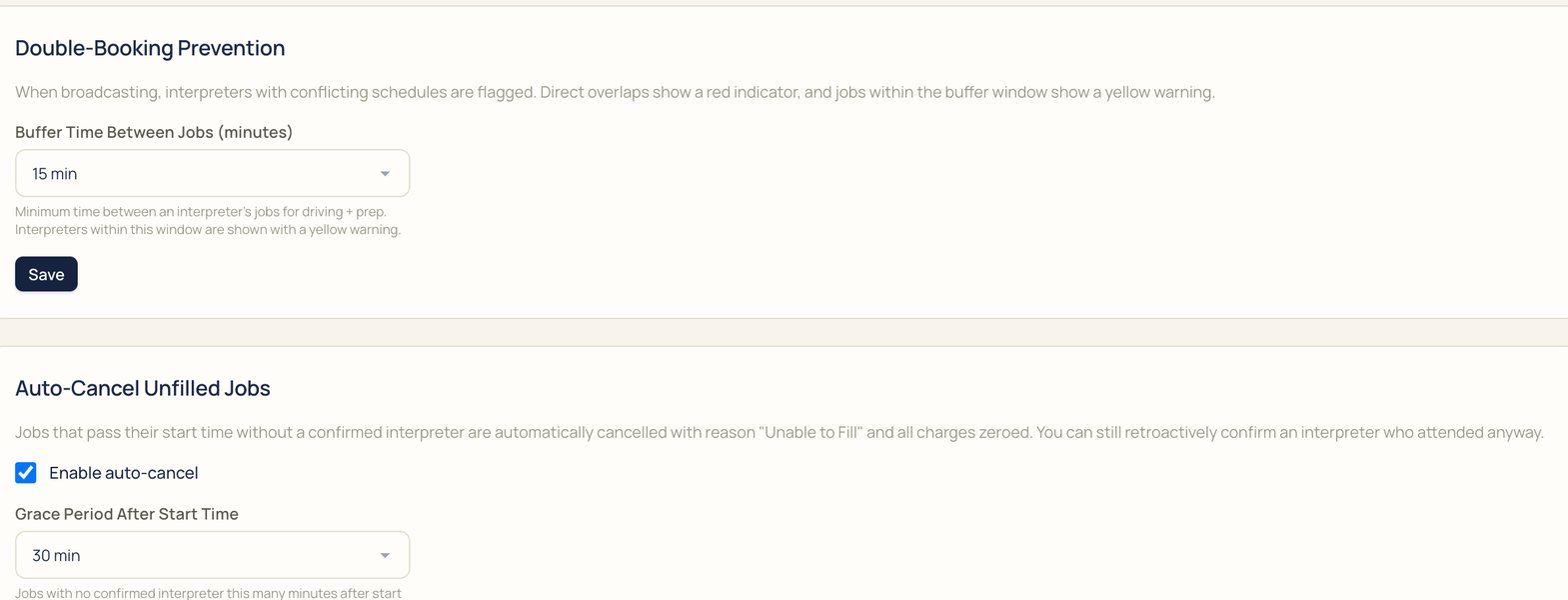
NotificationsDouble-booking checks with buffer times, auto-cancel for jobs nobody filled, rebroadcast on a timer, and auto-broadcast or auto-confirm for chosen accounts.
Add the fields your agency uses to jobs, and choose which ones interpreters see on a broadcast.
Custom fieldsWe'll book it in IMP with you, start to finish.