

All of IMP

Payments

Clients pay by card in their portal, through Stripe, or through QuickBooks Online, and each invoice shows what is paid and what is still owed.

InvoiceINV-00002
Paid
Bill toLakeside Pediatrics
Total$556.50
Paid$556.50
Balance$0.00
Pay invoiceClient portal
Card
Card ending in 4242
Pay $556.50
Paid to your Stripe account

An example payment. The invoice numbers match the demo agency's list below.
Four ways to get paid

Pick how invoices go out in Settings, under Invoicing. Each way ends with the invoice marked paid in IMP.

IMP invoice
  1. Invoice emailed from IMP
  2. Client pays by card in the portal
  3. Money goes to your Stripe account
  4. IMP marks it paid
Stripe Invoicing
  1. Stripe invoice created
  2. Stripe emails it and collects
  3. IMP updates when paid
QuickBooks Online
  1. Invoice pushed to QuickBooks
  2. QuickBooks sends it and takes payment
  3. Status syncs back to IMP
Check
  1. Check arrives
  2. You record the payment
  3. IMP marks it paid

Your money, your accounts

Your agency is the merchant. Card payments go straight to your own Stripe account, and your books stay in your own QuickBooks Online company.

  • Connect Stripe from Settings, with no webhooks to set up on your side.
  • Connect QuickBooks Online and pull payments back with Sync QBO Payments.
  • Invoices and payments stay tied to the accounts and jobs they came from.
Stripe
ConnectedPayments go to your account
QuickBooks
ConnectedYour company, your books

The two connection cards are examples.

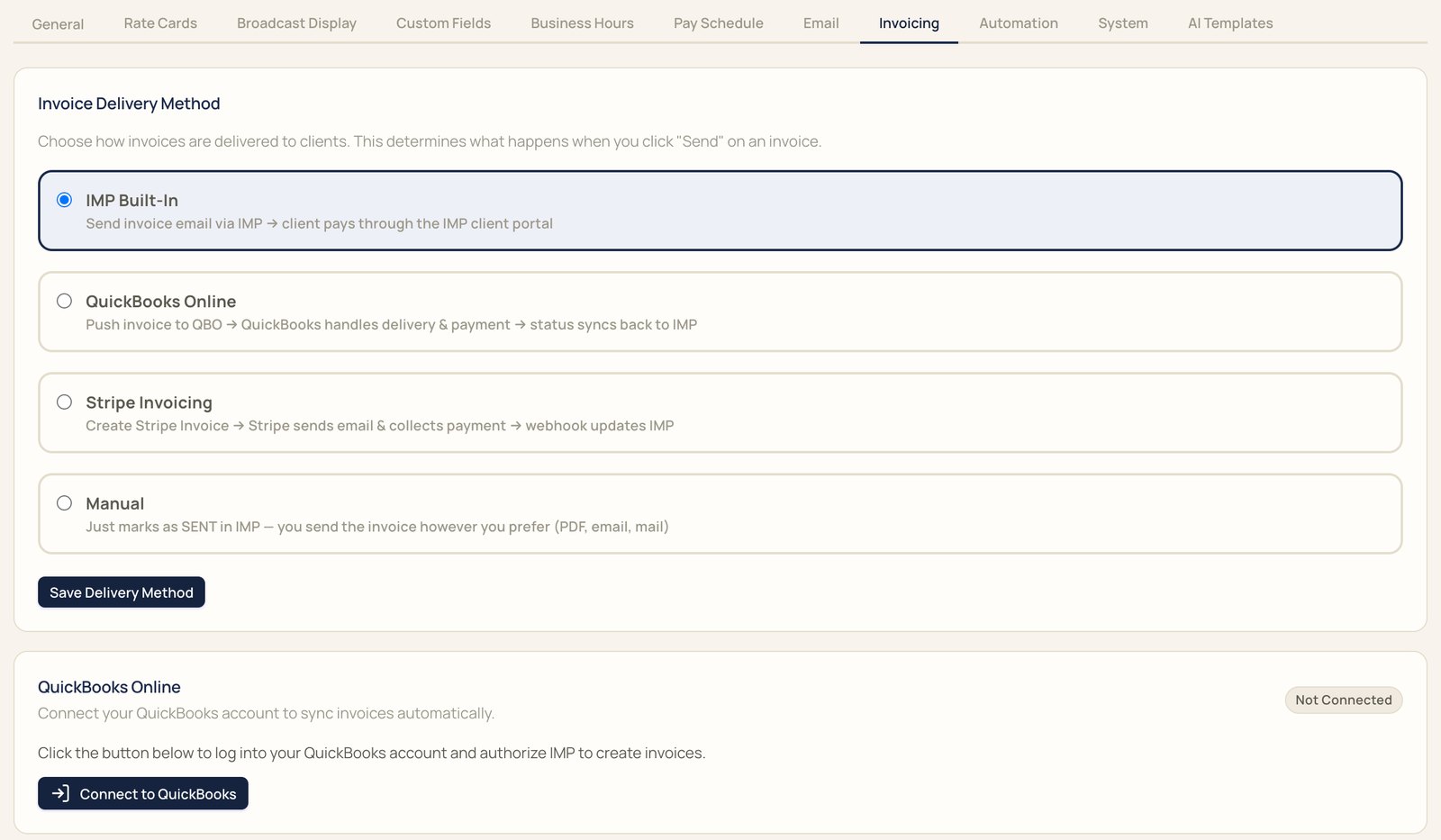
Invoice delivery settings: IMP built-in, QuickBooks Online, Stripe Invoicing, or manual, with the QuickBooks Online connection below
Delivery methods and the QuickBooks connection, in Settings

See what's paid, and what isn't

Each invoice shows its total, what's been paid, and the balance. Filter by draft, sent, overdue, or paid.

The Invoices page header with Sync QBO Payments and Generate Invoice
1234
Invoice list: INV-00001 for Northgate Behavioral Health, sent, balance $715.50; INV-00002 for Lakeside Pediatrics, paid $556.50, balance $0.00
1

Total. What the invoice is for.

2

Paid. What's come in so far.

3

Balance. What's still owed.

4

Status. Draft, sent, overdue, or paid.

Payment questions

Something else? Bring it to the demo.

Where does card money go?

Straight to your own Stripe account. Your agency is the merchant.

Do I need my own Stripe account?

Yes. Connect it from Settings, under Invoicing. There are no webhooks to set up on your side.

Can clients pay in the portal?

Yes. With invoices sent from IMP, clients pay by card in their own portal.

How does QuickBooks fit in?

Send invoices through QuickBooks Online and payment status syncs back to IMP. Sync QBO Payments pulls in the latest.

Can I record checks?

Yes. Record a check against the invoice, and IMP marks it paid.

How do I see what's outstanding?

The invoice list shows the total, paid, and balance for each invoice, with filters for draft, sent, overdue, and paid.

Does IMP pay interpreters?

No. IMP issues pay statements, and the money moves through your payroll or accounting system.

Bring a real request to the demo

We'll book it in IMP with you, start to finish.

