Jobs
Filled in on the Custom tab when an appointment is created.
Purchase order numberParking instructionsDepartment
Scheduling, dispatch, billing, and payments in one system, built for interpreting.


However your agency works: by setting, by service, or by the languages you cover.
Add the fields your agency tracks to jobs, accounts, and interpreter profiles, and choose which ones interpreters see.
An example field, added once and shown where you choose
Settings, Custom Fields: add fields to job creation, accounts, or interpreter profiles, without waiting on a developer.
Filled in on the Custom tab when an appointment is created.
The details each client needs, kept on their account.
What your agency tracks about each interpreter.
The field names above are examples.
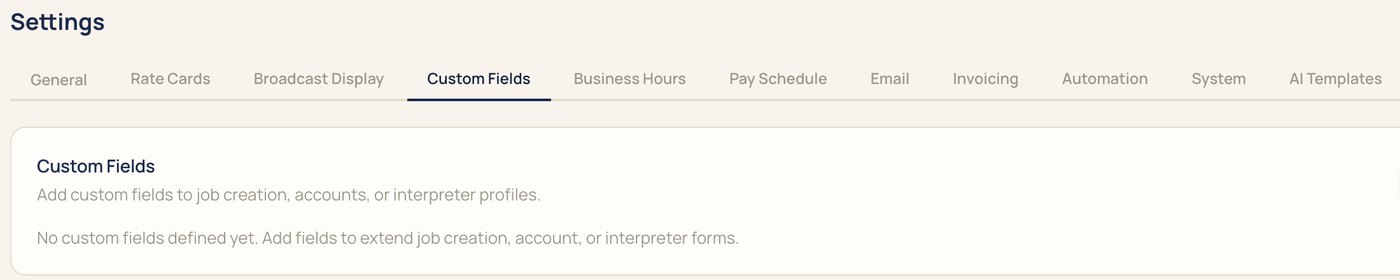
Fields marked Show in Broadcast appear for interpreters in their portal. The rest stay on your side of IMP.
Example fields
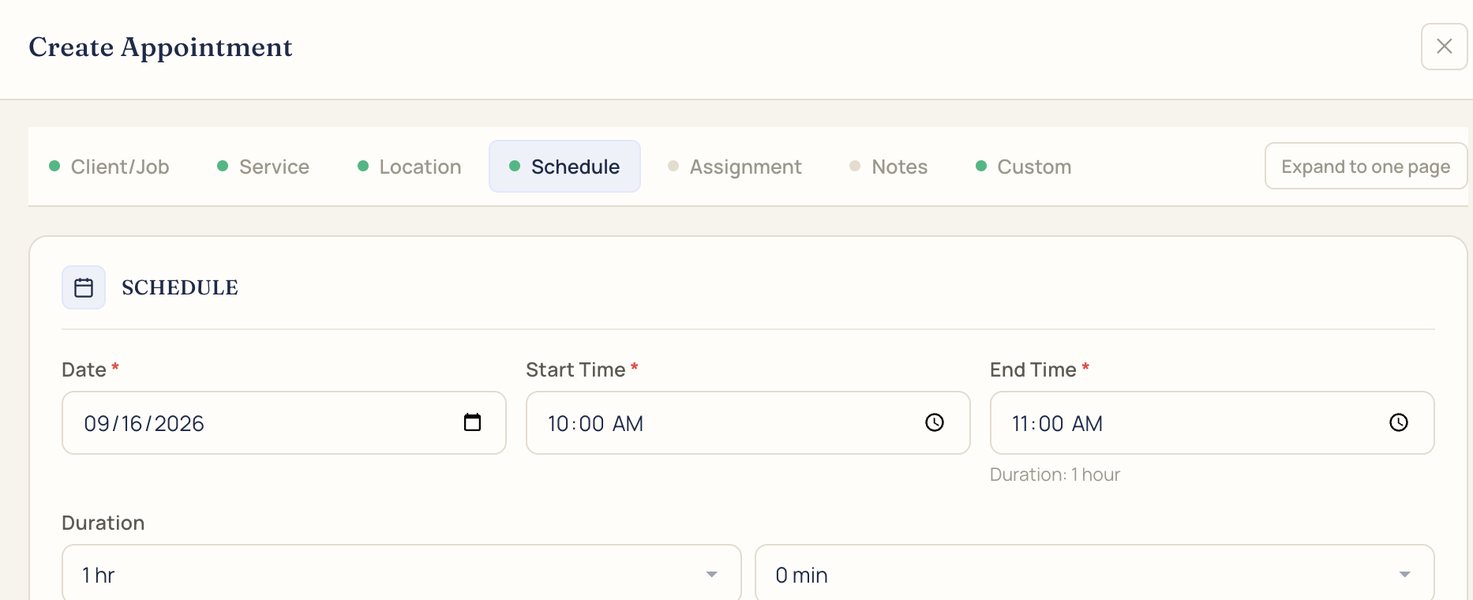
Job fields show up on the Custom tab of the New appointment form, next to the client, service, location, schedule, assignment, and notes.
Something else? Bring it to the demo.
To job creation, accounts, and interpreter profiles, from Settings, under Custom Fields.
Only the fields you mark Show in Broadcast, in their portal.
On the Custom tab when you create an appointment.
No. Add and change fields yourself in Settings.
We'll book it in IMP with you, start to finish.