Default rates for each language you book
Standard rates, minimums, rounding, and cancellation rules per language, applied when a client has no card of its own.

Scheduling, dispatch, billing, and payments in one system, built for interpreting.


However your agency works: by setting, by service, or by the languages you cover.
Rate cards price each job the same way, and invoices go out by account through IMP, QuickBooks Online, or Stripe.
An example rate card and job
Rate cards are the only source of job pricing. For each job, IMP checks four places in order and uses the first card it finds.
Example: Lakeside Pediatrics has no card of its own, so the ASL job uses your agency's ASL card.
Everything on a rate card, and the math IMP does with it. Examples use made-up numbers.
Standard rates, minimums, rounding, and cancellation rules per language, applied when a client has no card of its own.
A 2-hour minimum and rounding up to the next 15 minutes, for example.
Only the minutes outside your business hours get the after-hours rate.
Short-notice jobs pick up a rush rate inside the window you set.
The eleven federal holidays are built in. Choose which you observe and add your own.
Cancellation rules by notice, conference and daily rates, and mileage, all on the same card.
Save a rate card as a template, then apply it to any account.

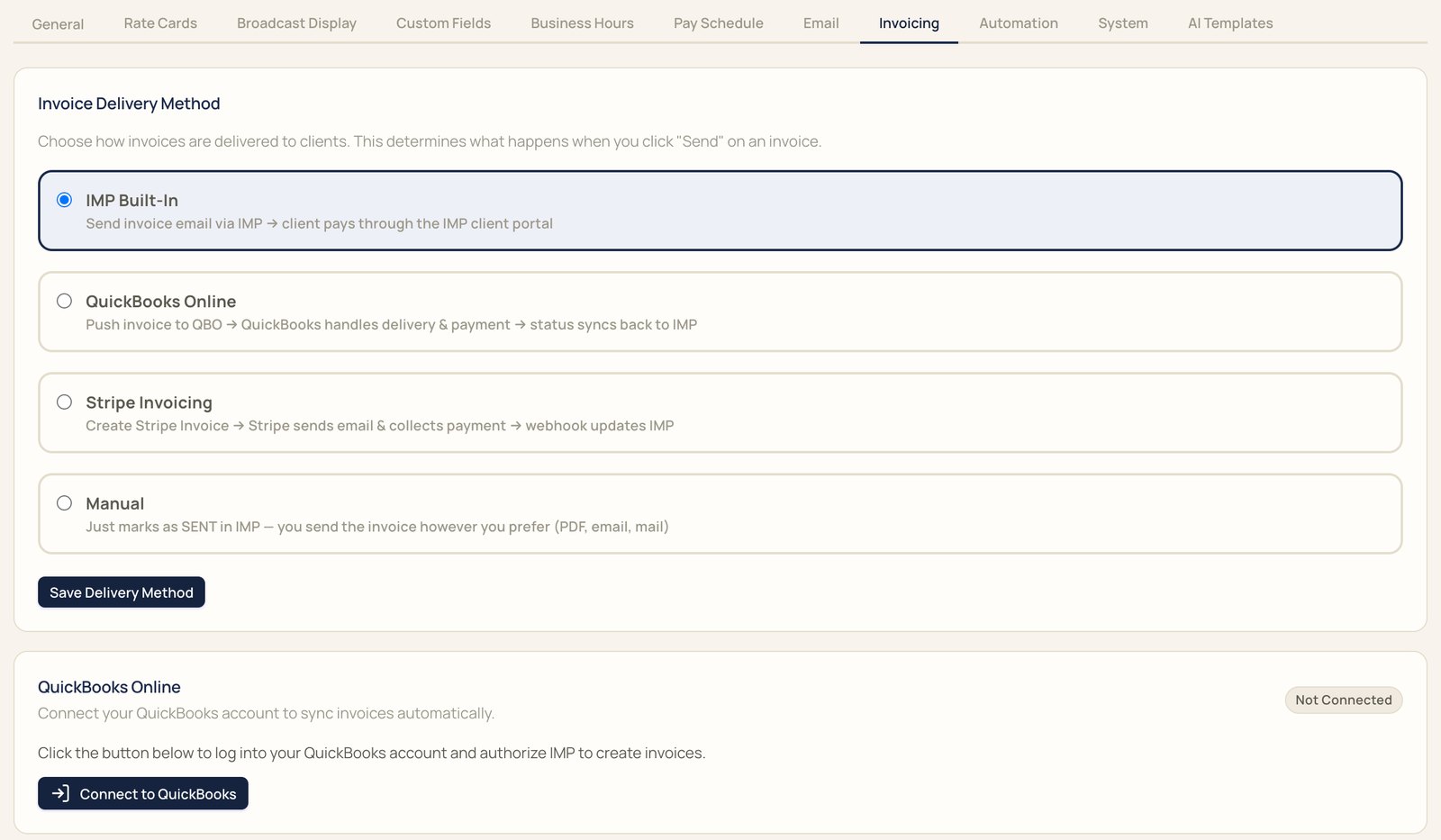
Pick a delivery method in Settings, under Invoicing. Invoices go out by account.
Example
Pick a pay period or a month and IMP creates invoices by account. Jobs with a $0 charge stay out unless you include them.


Something else? Bring it to the demo.
Rate cards. IMP checks the client's card for the job's language, then the client's card for all languages, then your agency card for the language, then your agency card for all languages.
Then the job has no charge, so set an agency default for each language you book.
Only the minutes outside your business hours get the after-hours rate. A flat after-hours fee applies in full when any minutes fall outside.
The eleven federal holidays are built in. Choose which ones you observe and add your own.
Yes. Give an account its own rate card, for one language or for all, and it overrides your defaults.
Four ways: email from IMP with payment in the client portal, QuickBooks Online, Stripe Invoicing, or mark it sent and deliver it yourself.
Yes. Pick a pay period or a month and IMP creates invoices by account. Jobs with a $0 charge stay out unless you include them.
With QuickBooks Online, payment status syncs back to IMP. With Stripe Invoicing, IMP updates when the invoice is paid.
We'll book it in IMP with you, start to finish.